Using the Application Tabs
The Main Pane of the TMC Web Application includes several tabs, each containing a separate panel of related controls and settings.
Descriptions of each tab are provided in the table below.
Overview Tab
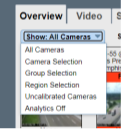
-
All Cameras: Displays all cameras in the system.
-
Active Incidents: Displays all active incidents.
-
Camera Selection: a custom set of camera thumbnails selected manually by the user. The list of selected cameras is saved to the server for each user.
-
Group Selection: Select a camera group that was created in the user menu option “Camera Groups”.
-
Region Selection: Select a camera region that was assigned in the user menu option “Manage Users”.
-
Uncalibrated cameras: All cameras which have not been manually calibrated, including those running in AutoLearn mode and those not currently performing analytics due to low view quality or low video stream rate.
-
Analytics Off: All cameras not currently performing analytics due to low view quality or low video stream rate.
-
Offline Cameras: Displays all cameras that the system could not reach.
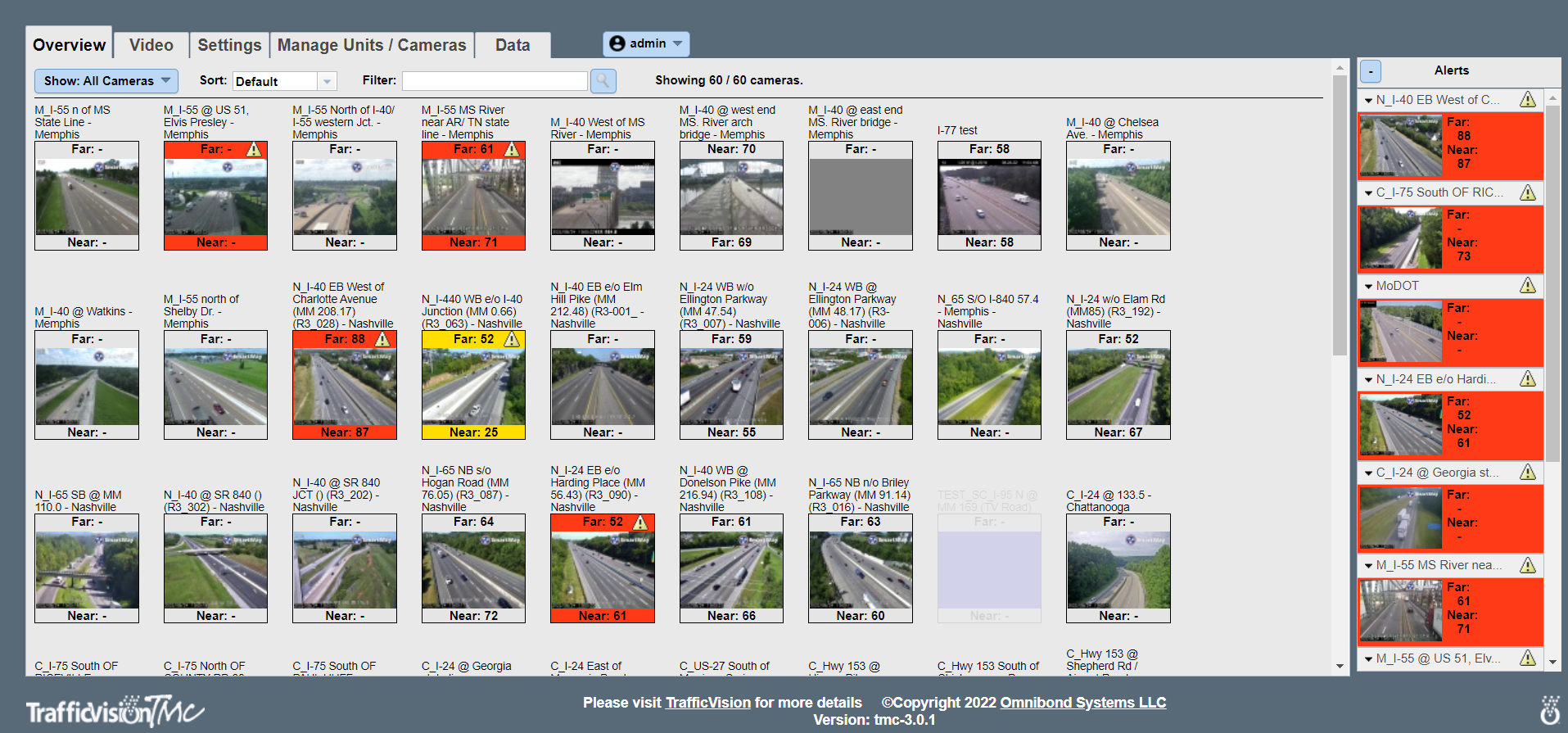
The Overview tab displays a thumbnail image for each camera added to the TMC Web Application for configuration and monitoring.
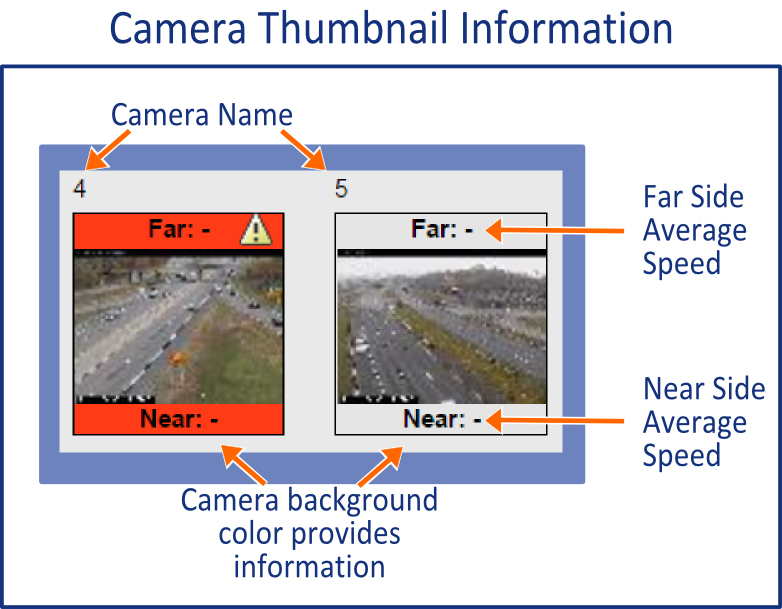
- Average traffic speeds display in each active camera thumbnail: average speed for far side lanes at the top and average speed for the near side lanes at the bottom.
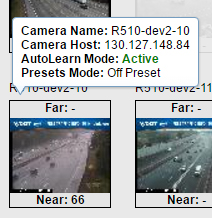
- Hovering the cursor over a thumbnail displays Camera information including camera name, camera host (IP address of the unit where the camera’s video stream is processed) and current analytic mode.
- Click a camera thumbnail to view a larger image of this camera with its per-lane real-time speed in the Video tab.
- The background color of each camera thumbnail indicates a condition:
-
Transparent background -Indicates no incident alerts are detected
-
Yellow -Indicates one of the following is detected:
-
Pedestrians
-
Stopped Vehicles
-
Congestion
-
A specified speed threshold
-
-
Red -Indicates one of the following is detected:
-
Wrong way vehicle
-
A second specified speed threshold
-
-
Faded out camera thumbnail - camera is currently not collecting data in either calibrated or AutoLearn mode. Hover over the thumbnail or refer to the red text in the Video tab for this camera for an explanation.
-
Video Tab
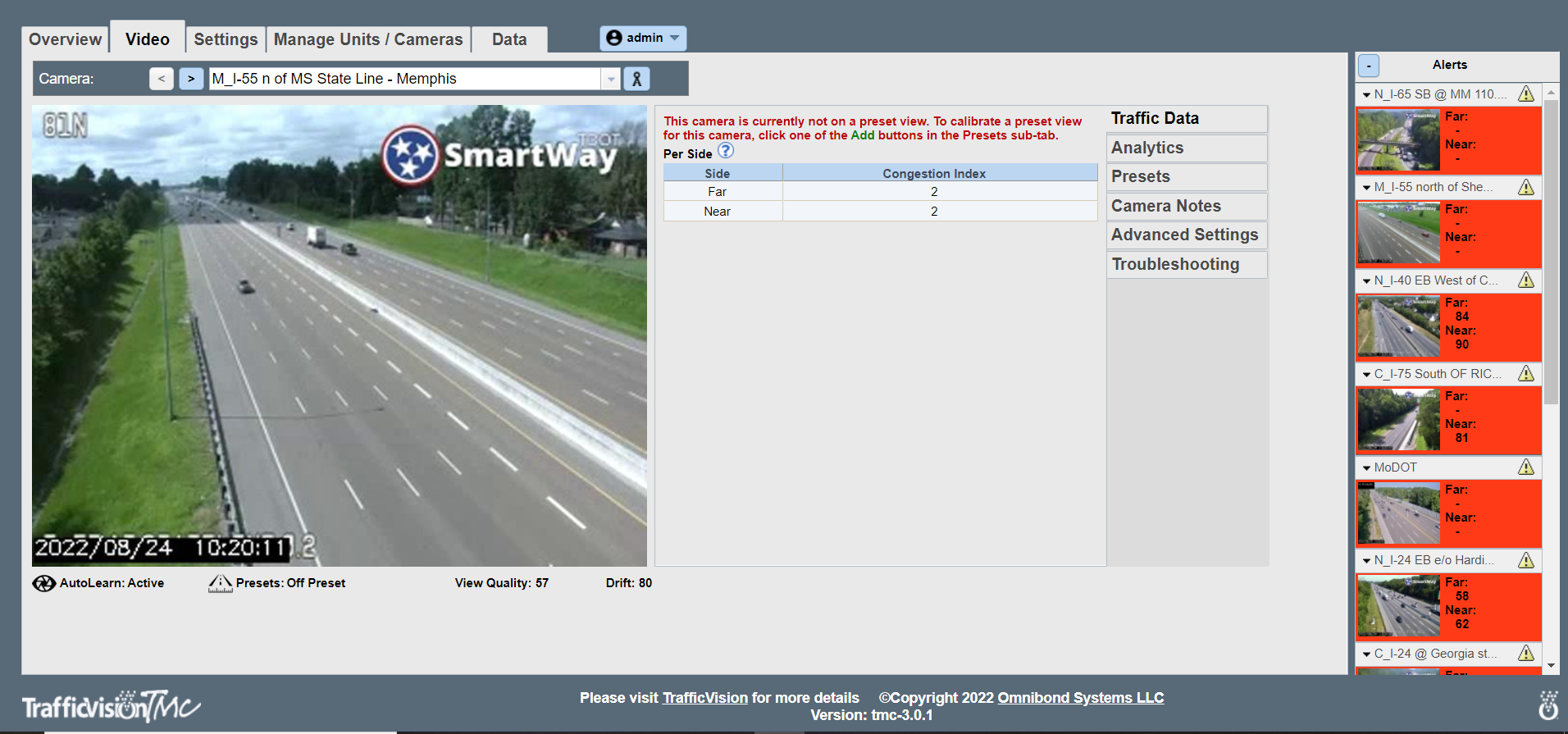
- Detailed view for selected camera, with options to edit or create presets.
- The view icon to the right of the camera name allows you to toggle between viewing annotated snapshots or a live stream.
- If the camera is has an active alert, the alert icon displays to the right of the view icon and camera name.
- The camera in this example has not been calibrated for traffic monitoring, so it is operating in AutoLearn mode.
- If you want to calibrate a camera, begin the process by selecting the “Presets” tab and clicking the “Add” button on a Preset window.
- This tab includes six subtabs:
-
Traffic Data: Displays collected data for the camera. The amount of data displayed is determined by the mode in which the camera is operating, AutoLearn or Preset.
-
Analytics: Allows you to enable analytics and to specify parameters for analytics.
-
Presets: Allows you to add and edit camera configurations.
-
Camera Notes: Allows you to note details about the camera and save for other system users.
-
Advanced Settings: Use only with support from TrafficVision - Support@TrafficVision.com .
-
Troubleshooting: Allows you to refresh your camera connection and to record a specific video range, as well as perform camera diagnostics and troubleshooting with support.
-
Settings Tab
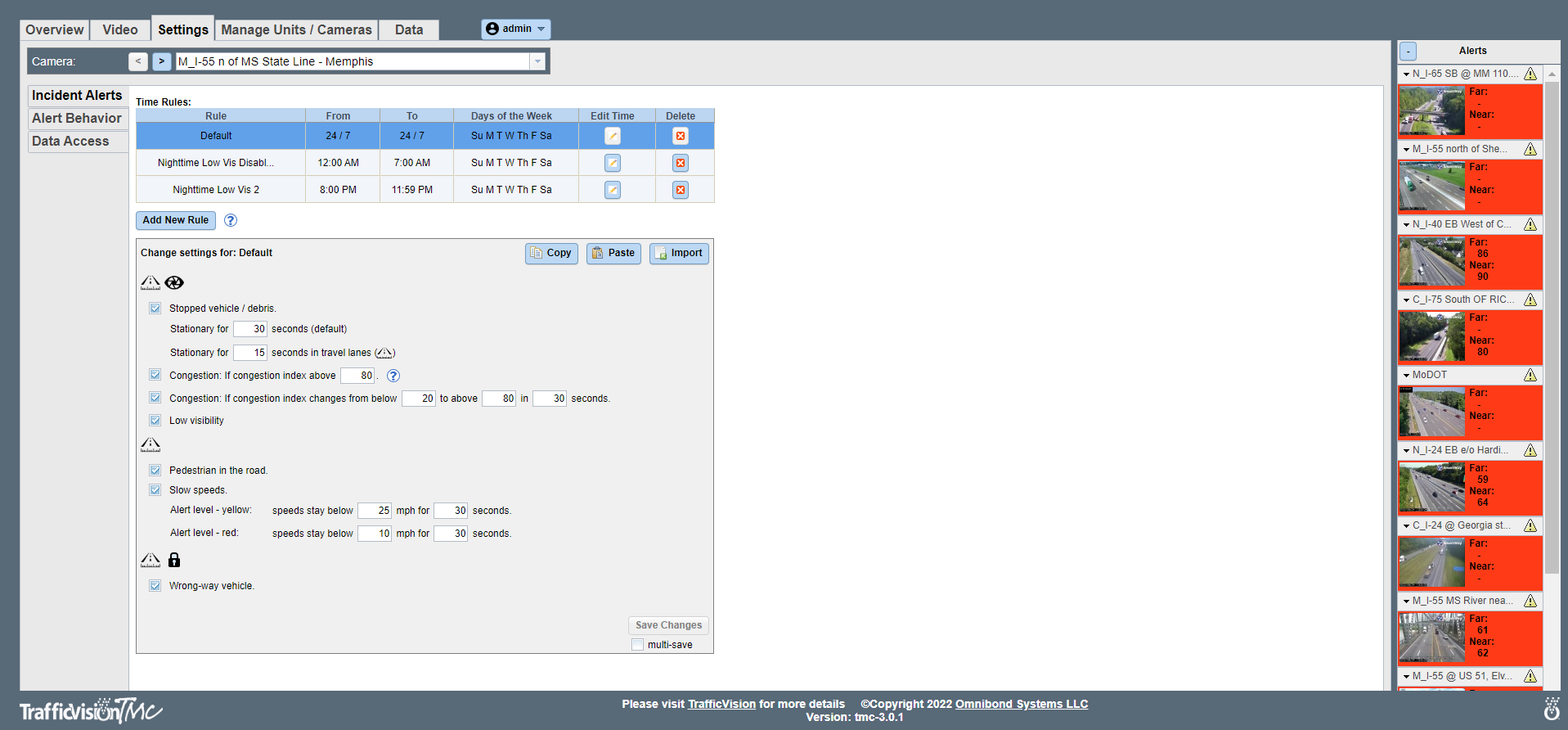
Provides controls for:
-
Configuring user alerts for detected incidents
-
Configuring traffic data detail levels
-
Configuring rule settings for one camera or apply new rules to a selected group of cameras using the “multi-save” option.
-
This tab includes three subtabs:
-
Incident Alerts: specify rules for detected incident types.
-
Alert Behavior: specify alert actions, including frequency and criteria for recording the associated incident.
-
Data Access controls data collection time intervals and level of detail.
-
Manage Units/Cameras Tab
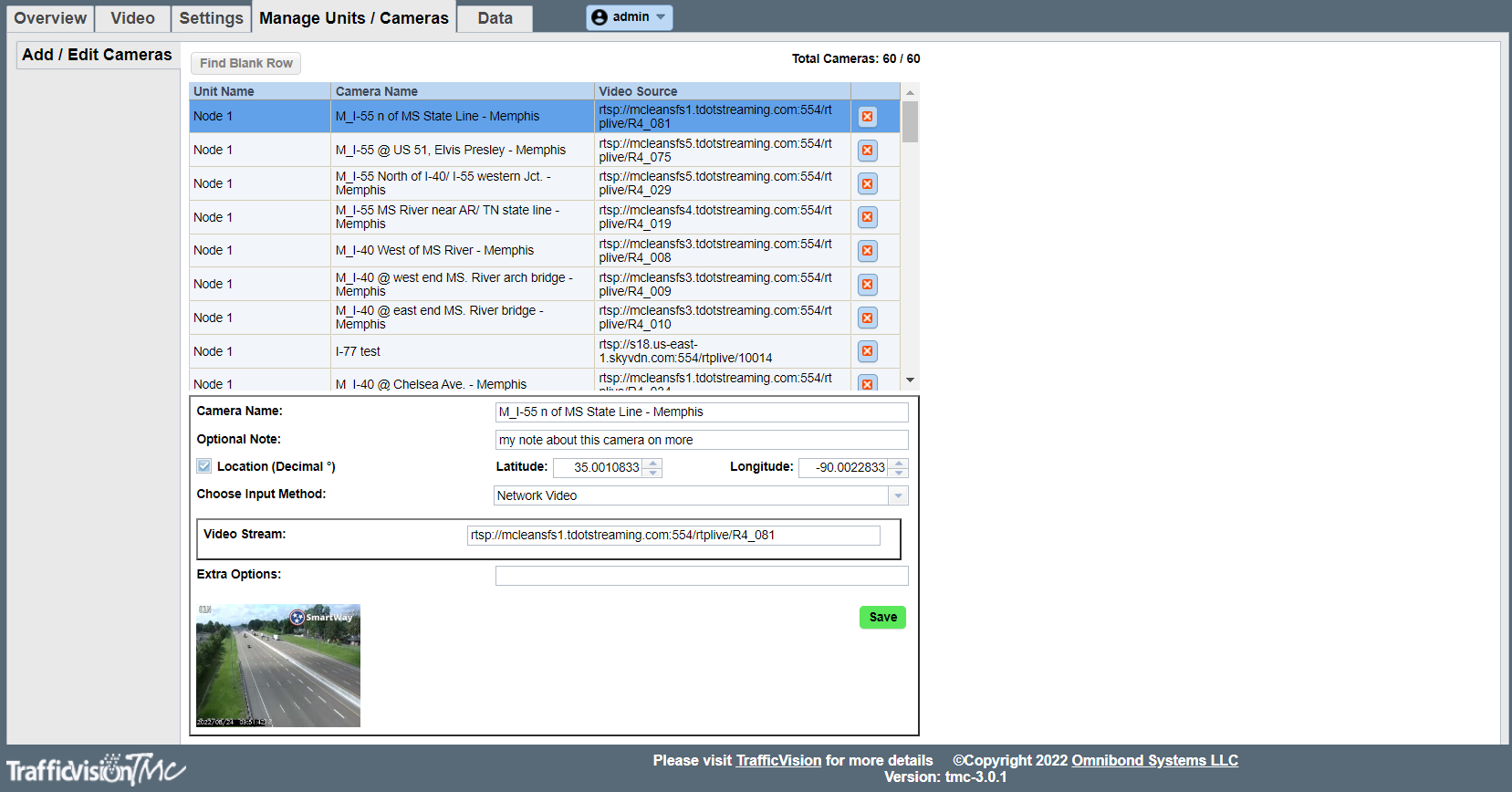
- Controls for adding cameras and TMC turnkey appliances or Virtual Machines. Once added, they display in their respective lists.
- Access each section (Add/Edit Cameras and Add/Edit Units) by clicking its subtab.
- Display profile information for a camera or unit by clicking its list row.
- The total number of cameras supported by all connected TMC turnkey appliances or Virtual Machines determines the number of rows available for adding cameras.
Map Tab
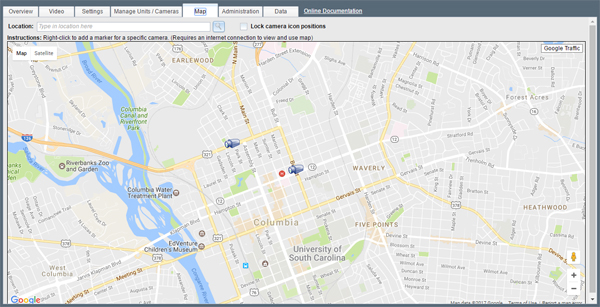
- Displays camera locations on a map with full Google Maps functionality.
- Add cameras with a mouse click, or enter an address or GPS coordinates.
- Camera icon color reflects its alert status:
- Gray: no incidents or slow traffic conditions detected
- Yellow: pedestrians, stopped vehicles, congestion, or a specified speed threshold detected
- Red: wrong way vehicle or a second specified speed threshold detected
- Double-clicking a camera icon displays more information and a link to its view in the Video tab.
Data Tab
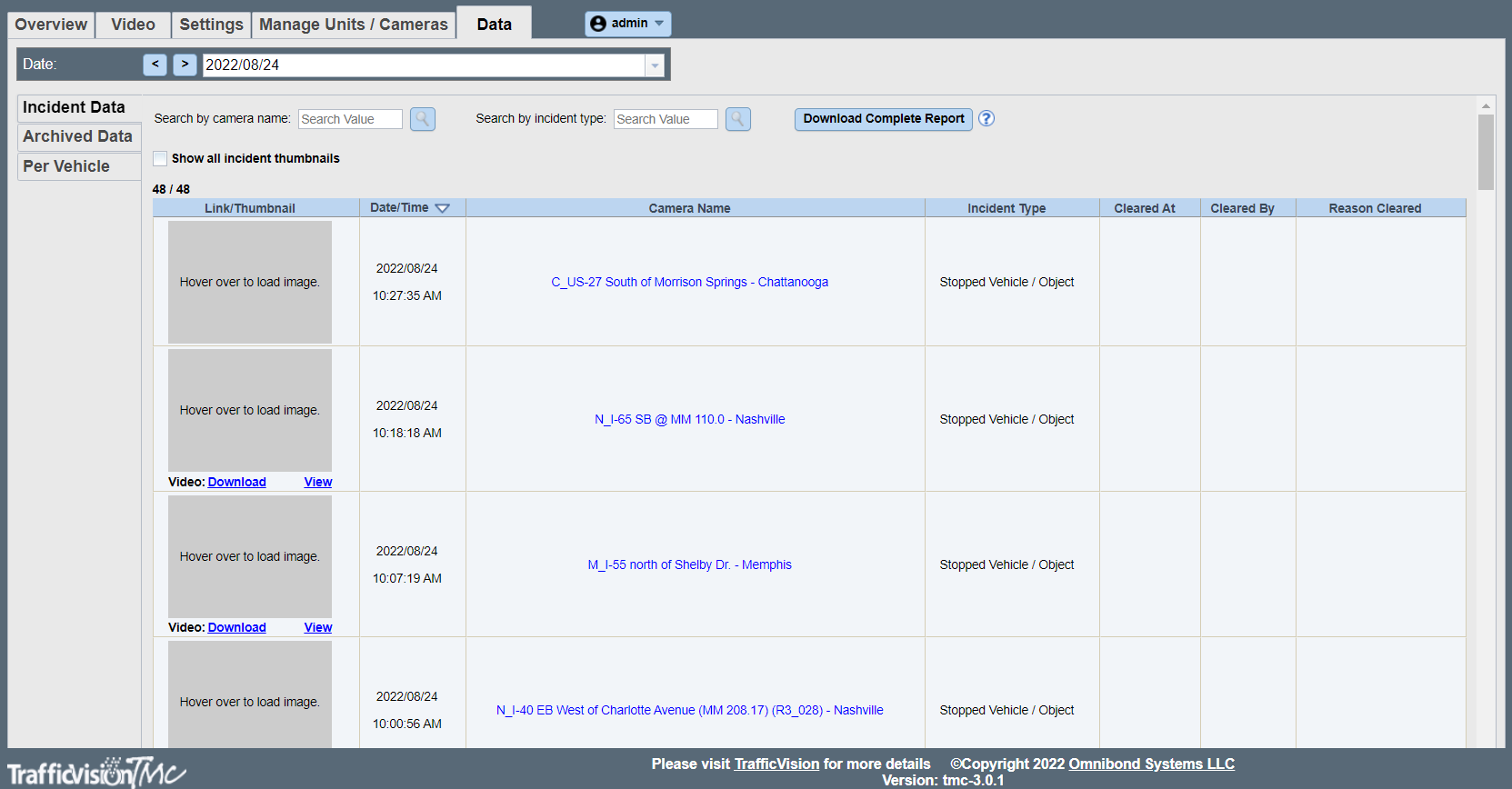
Provides search functions for traffic monitoring data files. These files, in csv format, can be fed into a database or viewed in a spreadsheet application.
If you have a slow connection, you may find it helpful to deselect the Show all incident thumbnails check box.
In the Incident Data subtab, you can select files according to generation date. In Archived Data and Per Vehicle subtabs, you can select according to camera.
Subtabs allow searching for three data categories:
-
Incident Data includes filters for date, camera name and file name.
-
Archived Data includes filters for date and file name.
-
Per Vehicle includes filters for date and file name.